Stock On-Hand Report
View the stock status of all products across the merchants you manage on a single page.
You can search, view, and export the data as needed.
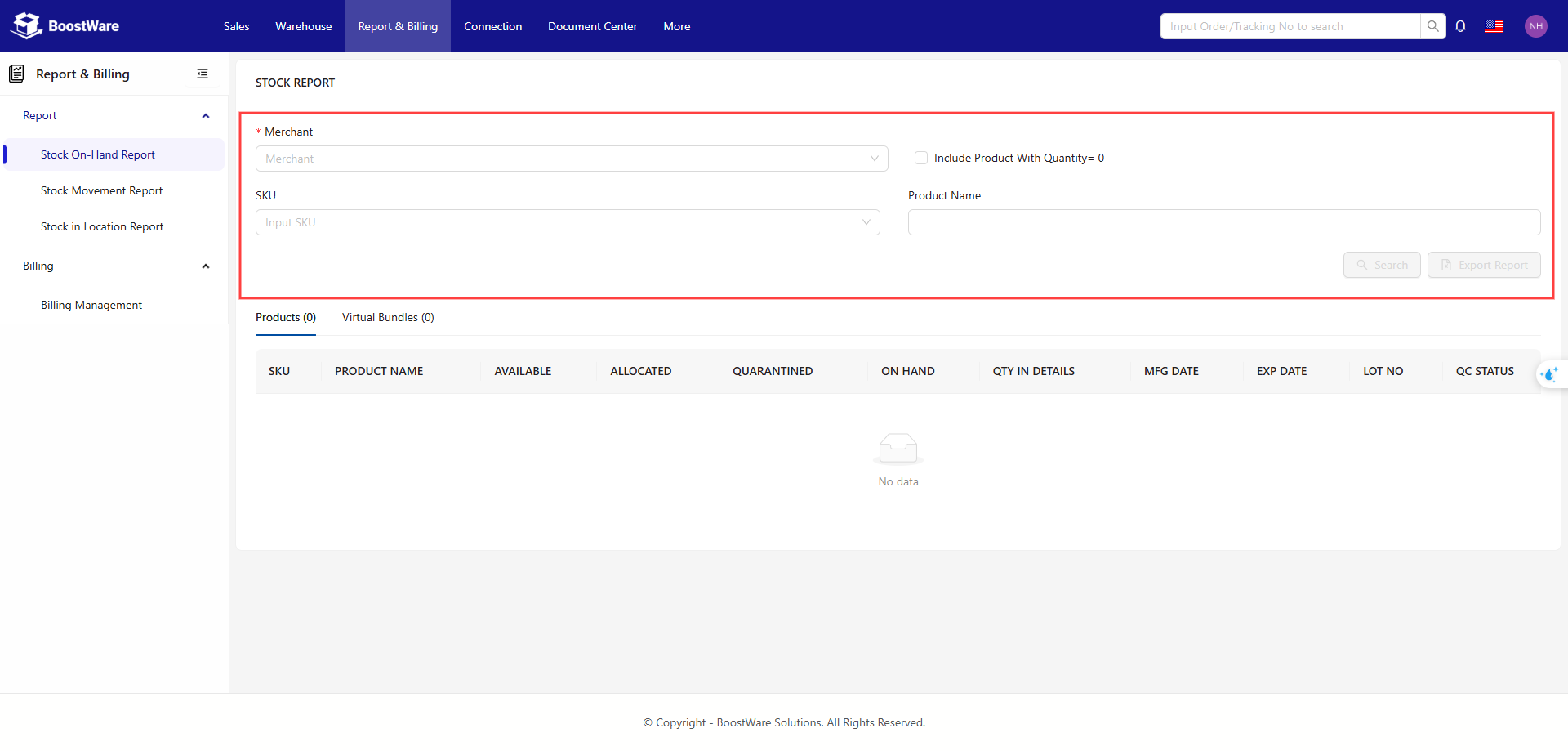
Filters
Use the following options to refine your list of SKUs:
- Merchant
- SKU
- Product Name
- Product Quantity = 0
Table
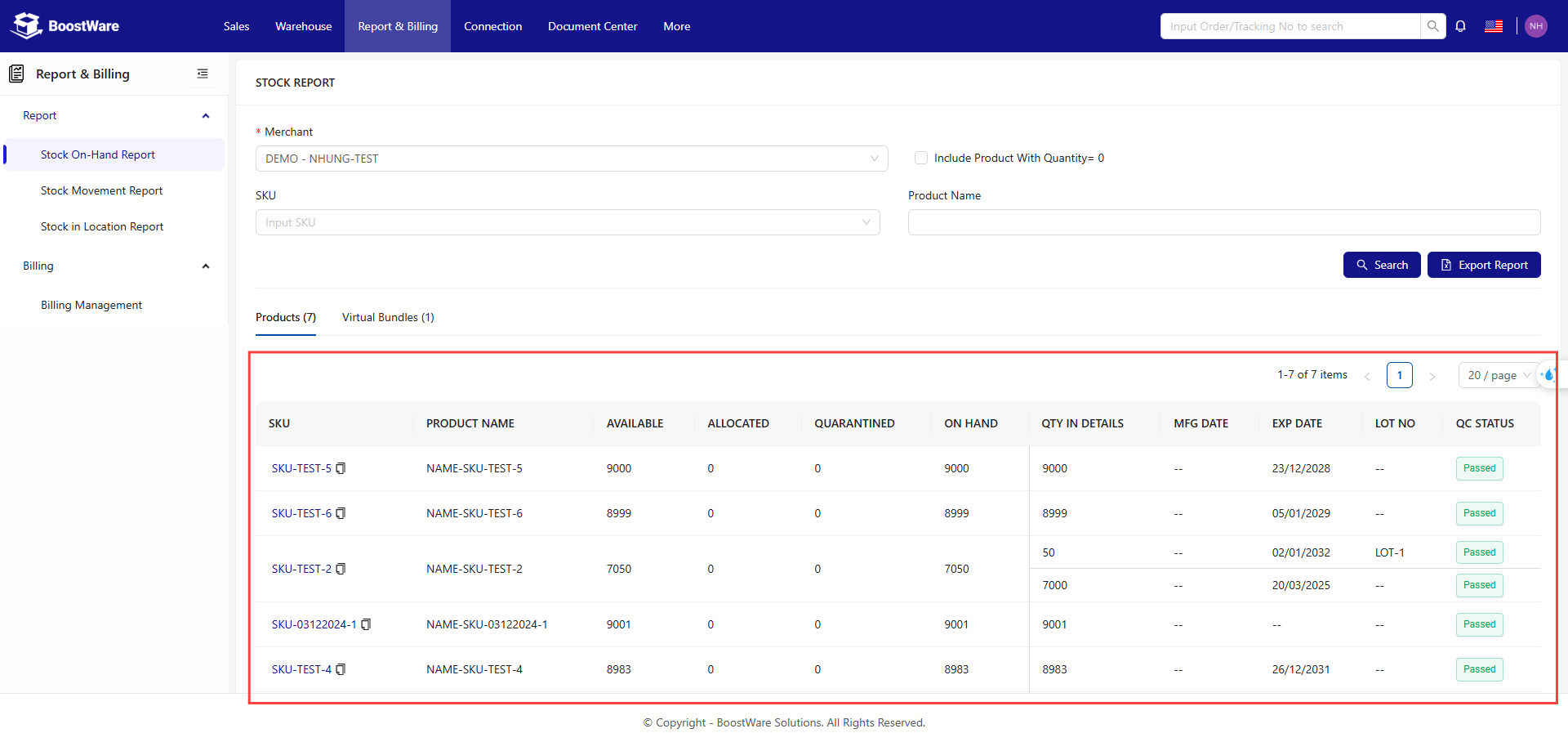
The table lists all SKUs with their respective details:.
- SKU: Stock-Keeping Unit, as entered when creating ASN Records.
- Product Name: The name of the product as defined by you.
- Available: Quantity available for fulfilling orders
- Allocated: Quantity allocated for fulfilling orders.
- Quarantined: Stock requiring additional processing due to issues.
- On Hand: Total quantity, including Available, Allocated, and Quarantined.
- QTY In Details: Breakdown of the On Hand quantity with detailed information.
- MFG Date: Manufacturing date for the specified Lot.
- EXP Date: Expiry date for the specified Lot.
- Lot #: Lot Number for the product.
- QC Status: Status for the product.